> For the complete documentation index, see [llms.txt](https://docs.code4rena.com/llms.txt). Markdown versions of documentation pages are available by appending `.md` to page URLs; this page is available as [Markdown](https://docs.code4rena.com/platform-guide/platform-guide-for-sponsors/warden-q-and-a.md).
# Warden Q\&A
Responding to questions from Code4rena wardens (auditors)
During the submission phase of your Code4rena audit, C4 wardens (auditors) may reach out to ask technical questions about your code, implementation details, intended behavior, and potential vulnerabilities.
Here are some tips for managing these conversations:
* [Monitor discussions from your client dashboard](#warden-questions-will-appear-in-your-client-dashboard)
* [Sort your Q\&A inbox](#sorting-your-q-and-a-inbox)
* [Use thread settings to manage your inbox](#thread-settings)
## Locating the Q\&A inbox
To access your Q\&A inbox:
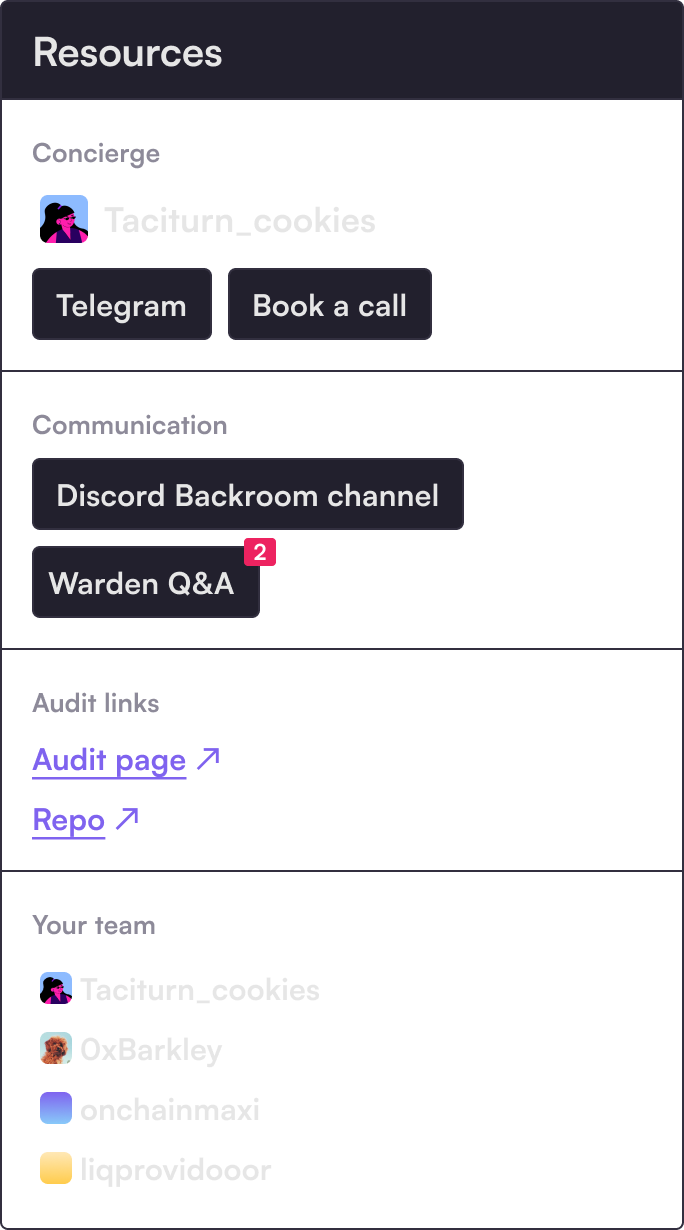
* Navigate to your client dashboard
* Select the **Warden Q\&A** link.
If you have new questions from wardens, you will see a red notification alert.
A link to your Q&A inbox appears in the sidebar of your client dashboard
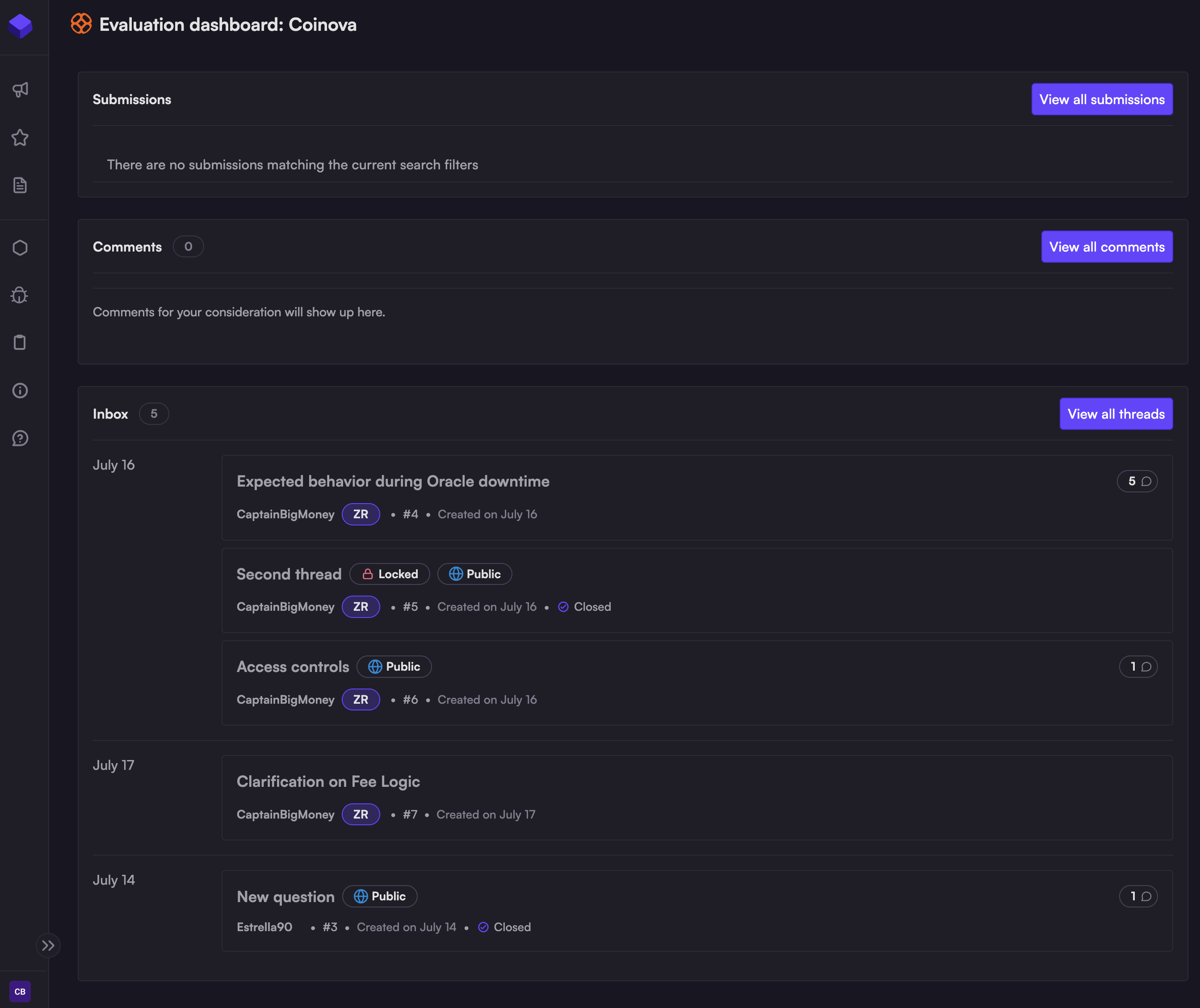
You can also see the Q\&A inbox from the evaluation dashboard, below the list of submissions and submission comments.
## The Q\&A inbox
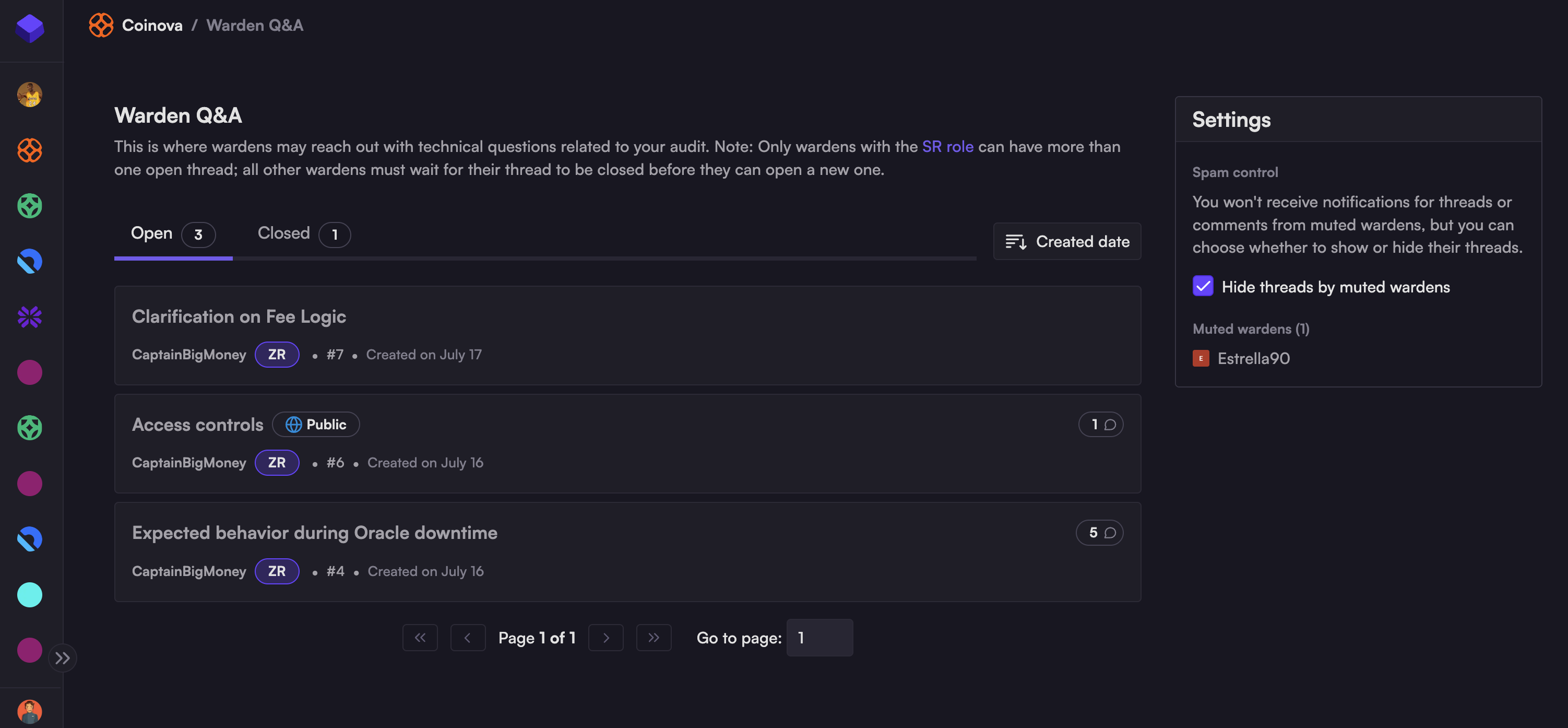
Clicking through to the inbox will open a list of Q\&A threads:
* The inbox has two tabs: `Open` and `Closed,` based on the status of your Q\&A threads.
* Wardens who don't have the [SR role](/roles/sr-wardens.md) are limited to one active thread, and cannot add to that thread until you reply, or mark it as resolved/closed.
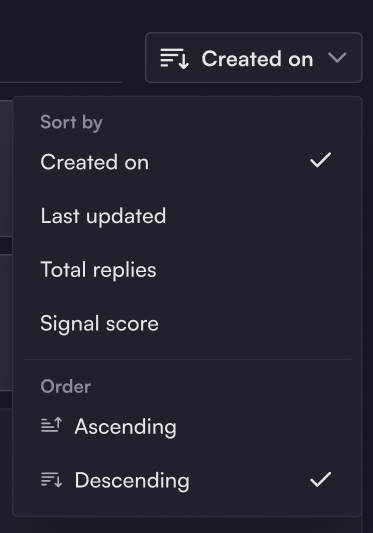
* You can sort your inbox based on:
* `Created on` - date the thread was opened/created
* `Last updated` - time of last update
* `Total replies` - number of comments in the thread
* `Signal score` - accuracy score of the warden who opened the thread (see [Signal](/roles/signal.md))
## Sorting your Q\&A inbox
## Reply to questions
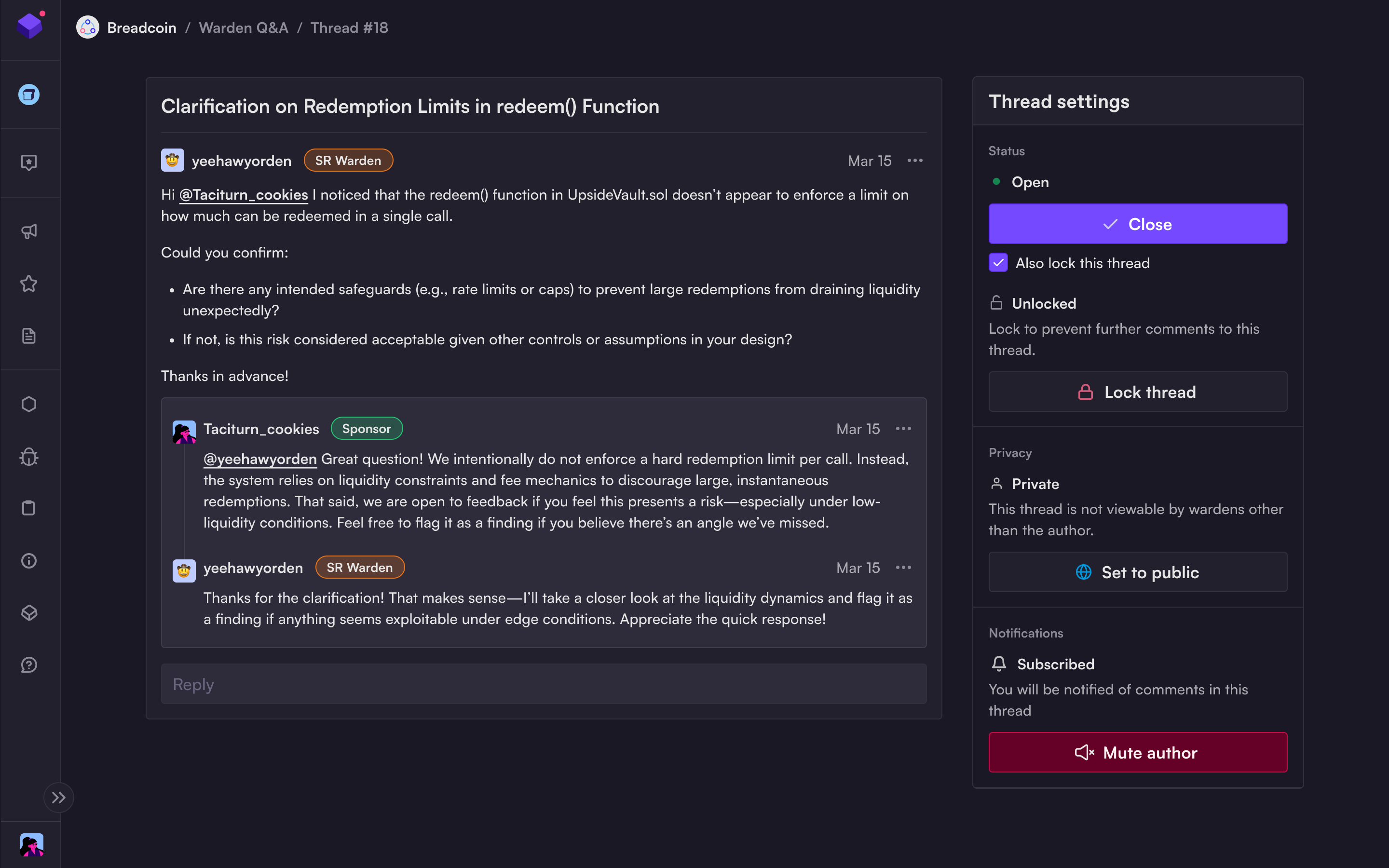
To reply to a question, select the thread and type in the `Reply` field:
### Thread settings
You can also choose to:
* **Leave the thread open** - which allows the warden to reply so you can continue the discussion; or
* **Close the thread** (with or without replying to it) - this marks the thread as complete/resolved.
* **Lock thread:** prevents further comments on the thread
* **Set to public:**
* If you receive the same question multiple times, you may wish to make a thread public. This allows all participating wardens to view the discussion, which should save your team from having to answer the question repeatedly.
* Making a thread public will make it visible to ALL participants.
{% hint style="warning" %}
The nature of competitive audits is that wardens guard their work closely. Before making a thread public, be careful it doesn't contain any details that could leak hints to other competitors.
{% endhint %}
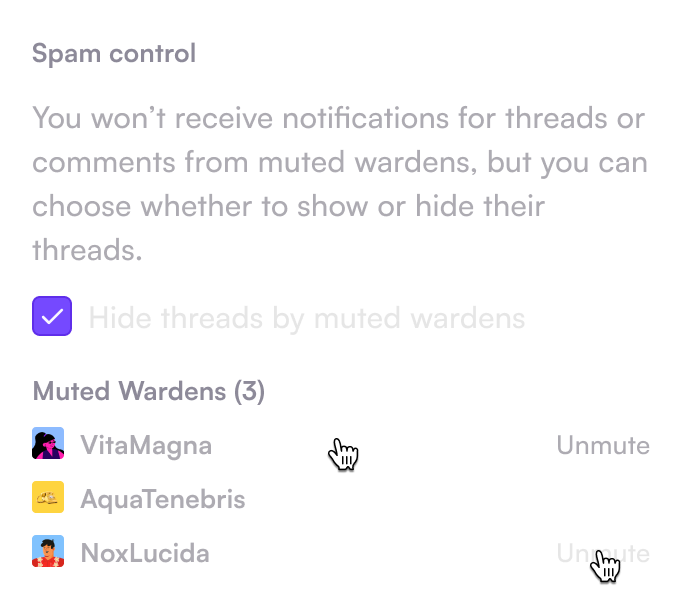
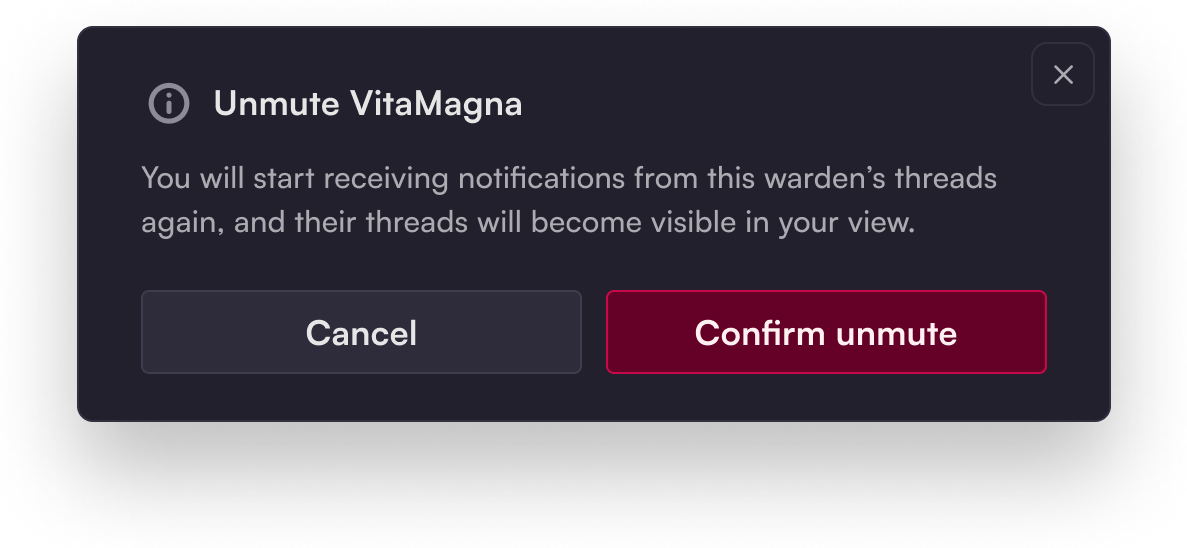
* **Mute/Unmute author:** hide all threads or comments from this warden.
* You can manage muted wardens anytime from your Q\&A inbox.
---
# Agent Instructions
This documentation is published with GitBook. GitBook is the documentation platform designed so that both humans and AI agents can read, navigate, and reason over technical content effectively. Learn more at gitbook.com.
## Querying This Documentation
If you need additional information that is not directly available in this page, you can query the documentation dynamically by asking a question.
Perform an HTTP GET request on the current page URL with the `ask` query parameter, and the optional `goal` query parameter:
```
GET https://docs.code4rena.com/platform-guide/platform-guide-for-sponsors/warden-q-and-a.md?ask=&goal=
```
`ask` is the immediate question: it should be specific, self-contained, and written in natural language.
`goal` is optional and describes the broader end goal you are ultimately trying to accomplish on behalf of the user. GitBook uses it to tailor the answer towards what is most useful for that goal.
The response will contain a direct answer to the question and relevant excerpts and sources from the documentation.
Use this mechanism when the answer is not explicitly present in the current page, you need clarification or additional context, or you want to retrieve related documentation sections.