gauge-highThe audit dashboard

Once the submission deadline passes, wardens may view all submissions to most Code4rena audits. (Exceptions — such as audits that include live/deployed code — are normally noted in the audit repo README file.) After submissions close, you can use the audit dashboard for an overview of judging progress.

Dashboard overview

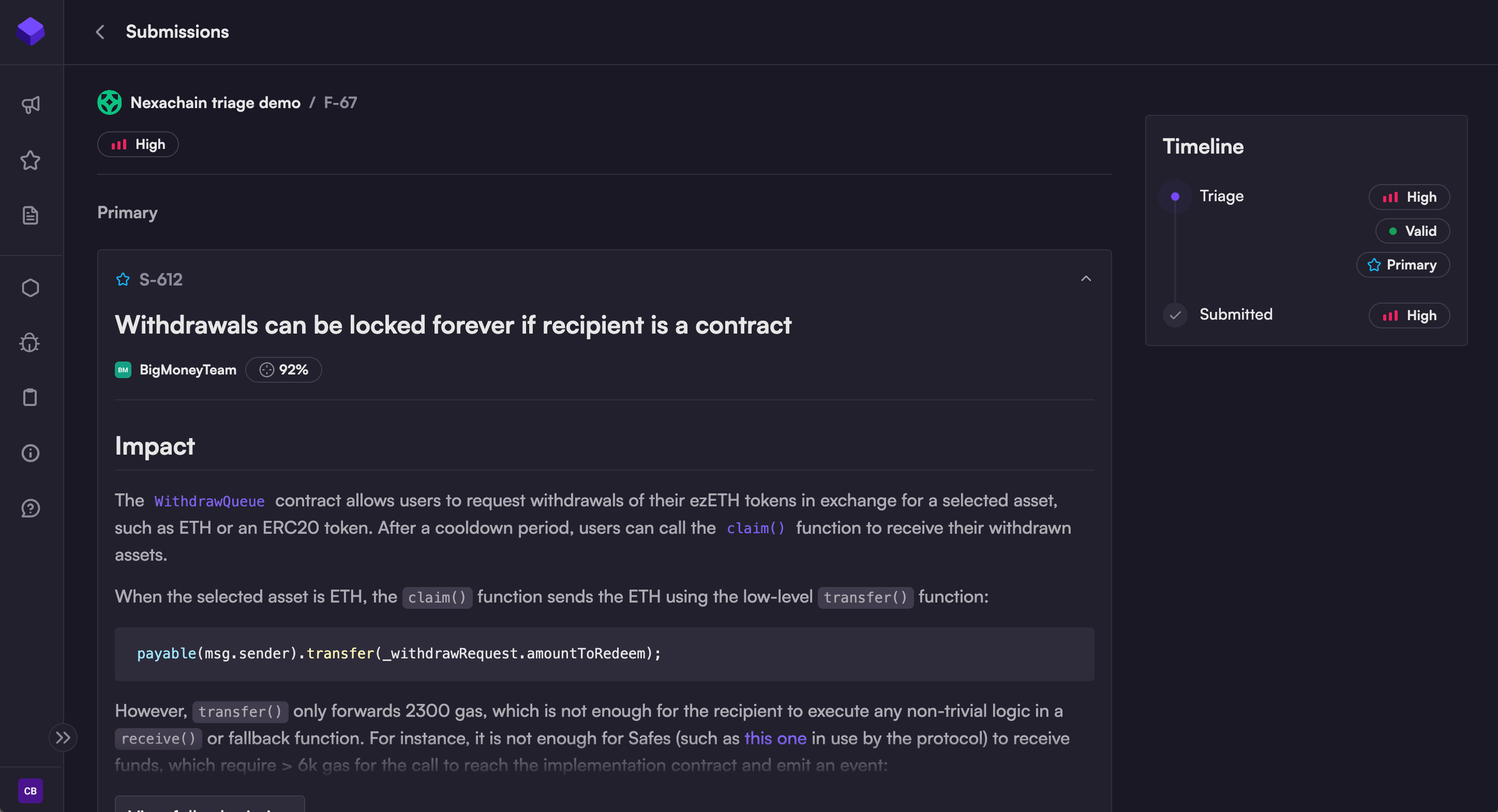
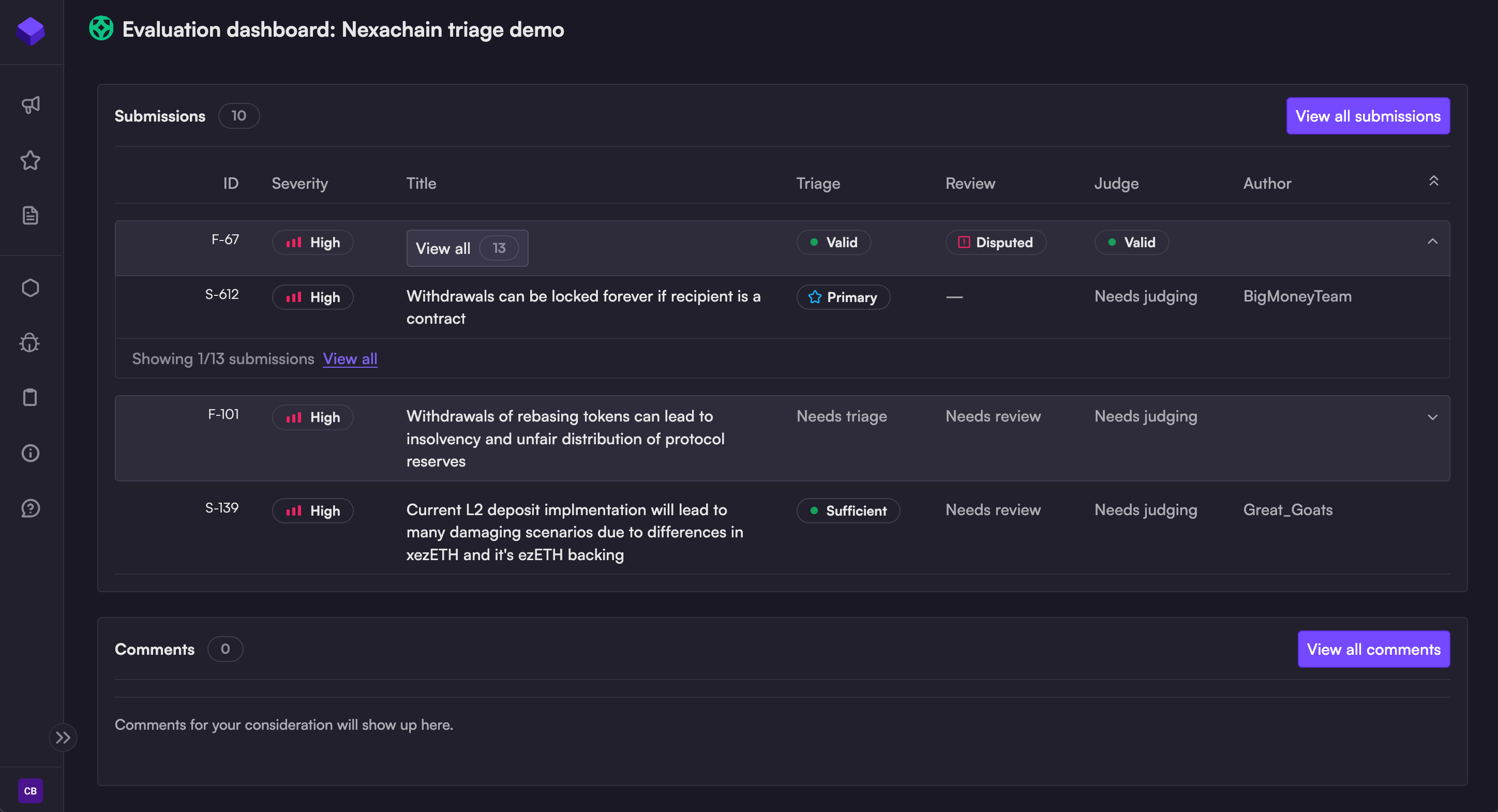
After clicking "View dashboard," you'll see an abbreviated list of the highest-severity findings, and any recent comments:

This is an overview screen only; to view all submissions or comments, select the relevant "View all" button.
Submission list

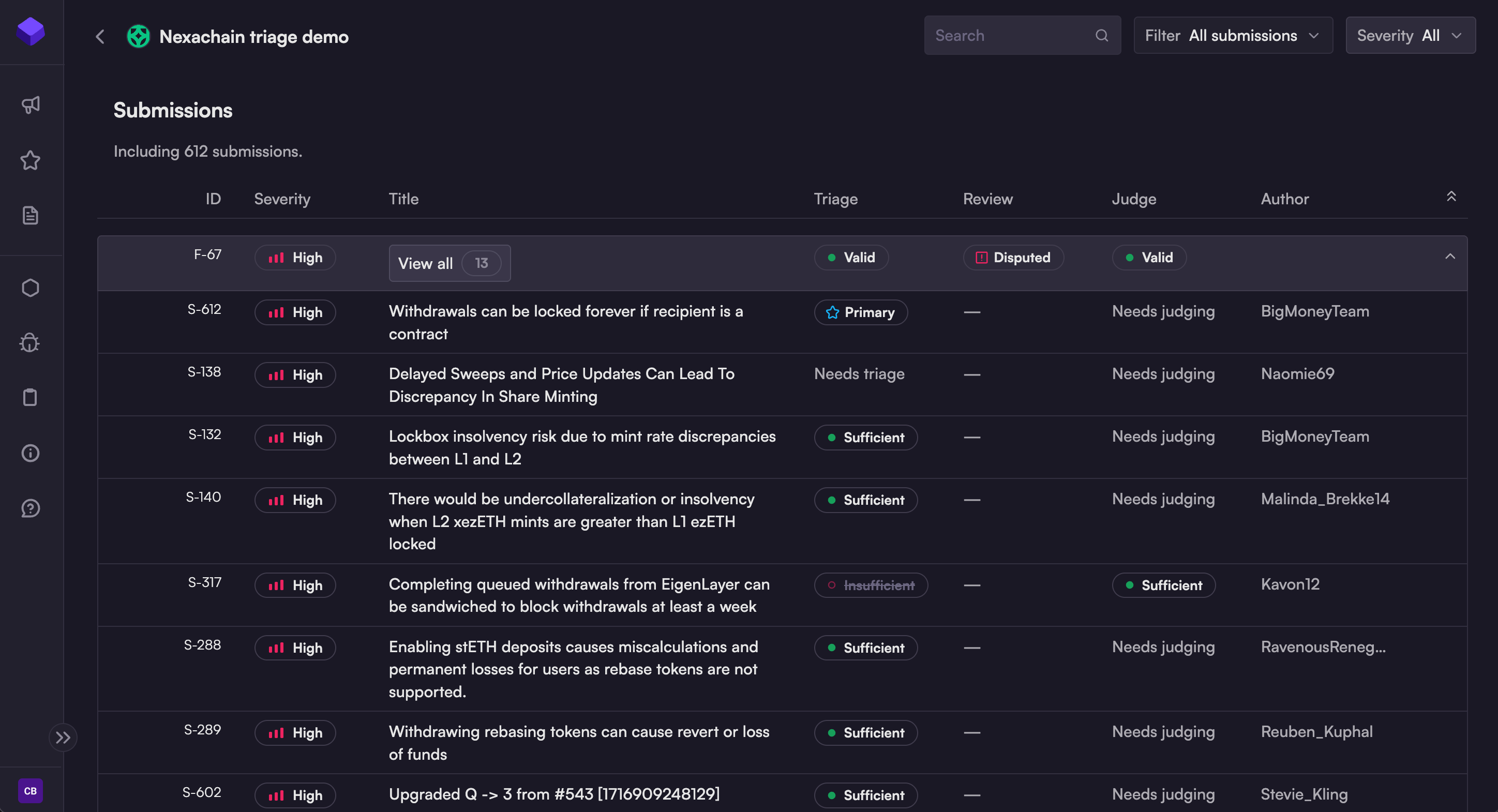
From the dashboard, clicking "View all submissions" will take you to the full submission list:

This is a table view that shows:

  • ID: the finding (F-) and/or submission (S-) ID

    • Finding = set of duplicate submissions sharing a root cause

    • Submission = an individual warden or team's submission to the audit

  • Severity: the judge's assessed severity (see Severity criteria)

  • Title: the title of the submission

  • Triage: initial evaluation by the Validator [deprecated]

  • Review: input from the sponsor, if available

  • Judge: validity and quality evaluations from the judge

  • Author: username of the warden or team who created this submission

circle-info

Findings are expanded by default, to display the individual submissions within each duplicate set. For a more compact view, use the Filter menu to select Primary submissions only.

Filters

There are three ways to filter submissions in the dashboard:

  1. Search

  2. Filter menu

  3. Severity menu

The search function offers a convenient way to locate submissions related to a particular file or function. You can also search by warden/team name.

Filtering by status ("Filter" menu)

From the Filter menu, you can select:

  • All submissions (default)

  • Primary submissions - submissions selected as Primary (best) within a finding (duplicate set)

  • Satisfactory submissions - submissions confirmed as valid and sufficient quality by the judge

  • Partial credit - submissions evaluated as only eligible for partial credit by the judge

  • Eligible for awards - all submissions currently eligible for awards

Note that all judge rulings are subject to change until awards are announced.

Selecting "Primary submissions" will produce a more compact view in the dashboard, by hiding all duplicates.

Filtering by severity

From the Severity menu, you may select:

  • All

  • Highs and Mediums

  • Highs

  • Mediums

  • Lows

  • QA/Gas

Individual findings and submissions

To view an individual finding or submission, click on the title from the submission list. It will open the relevant finding or submission.

Finding pages

When viewing a finding (group of duplicate submissions), you'll see:

  • an excerpt from the primary submission in the finding set,

  • a timeline of inputs and evaluations, and

  • a list of all duplicates within the finding set.

The upper section of a finding page shows the finding number (F-67 in the example), an excerpt from the primary submission, and a timeline of inputs and evaluations.
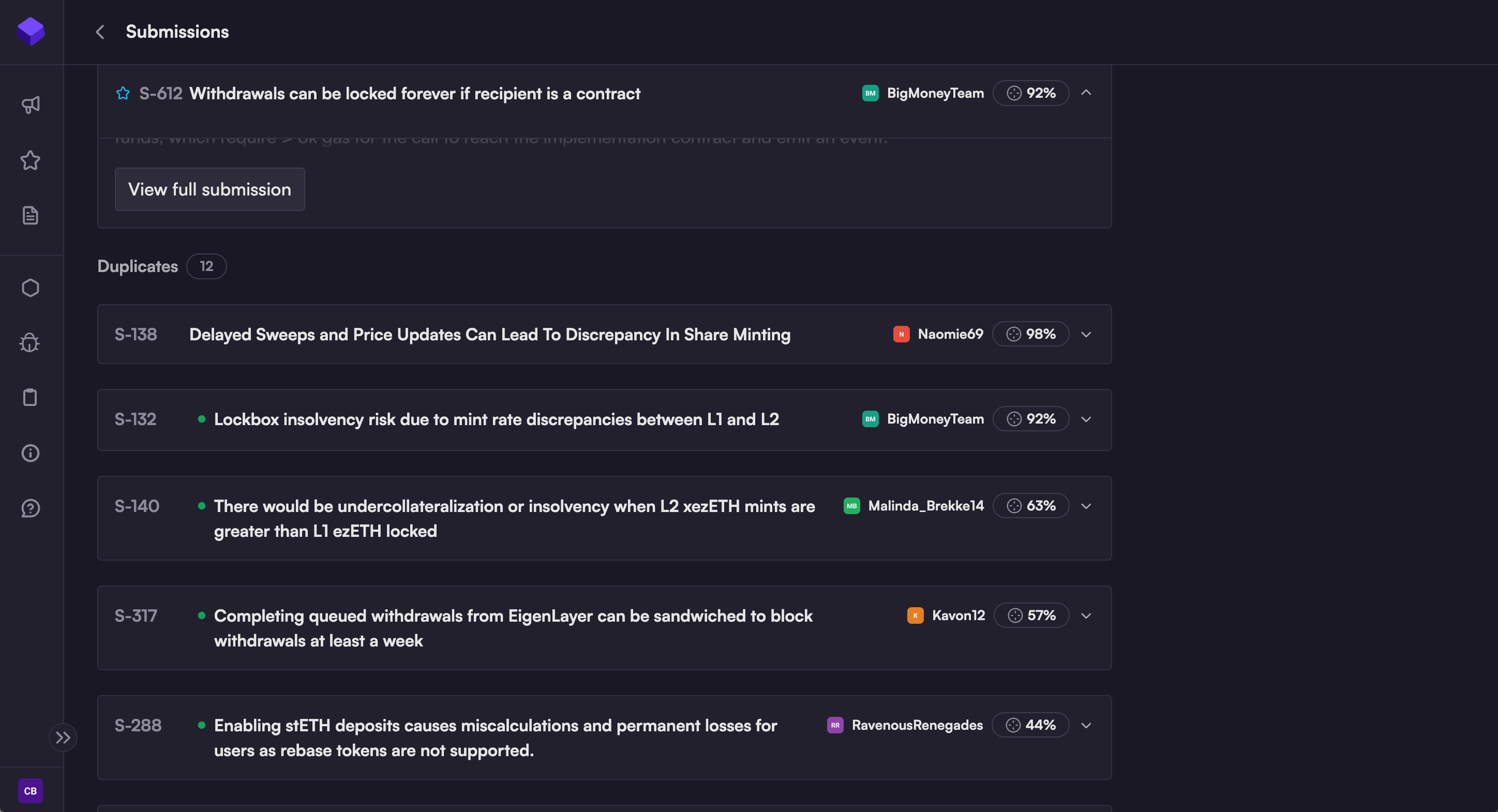
Farther down, there's an option to view the full-length primary submission, and a list of all duplicates.
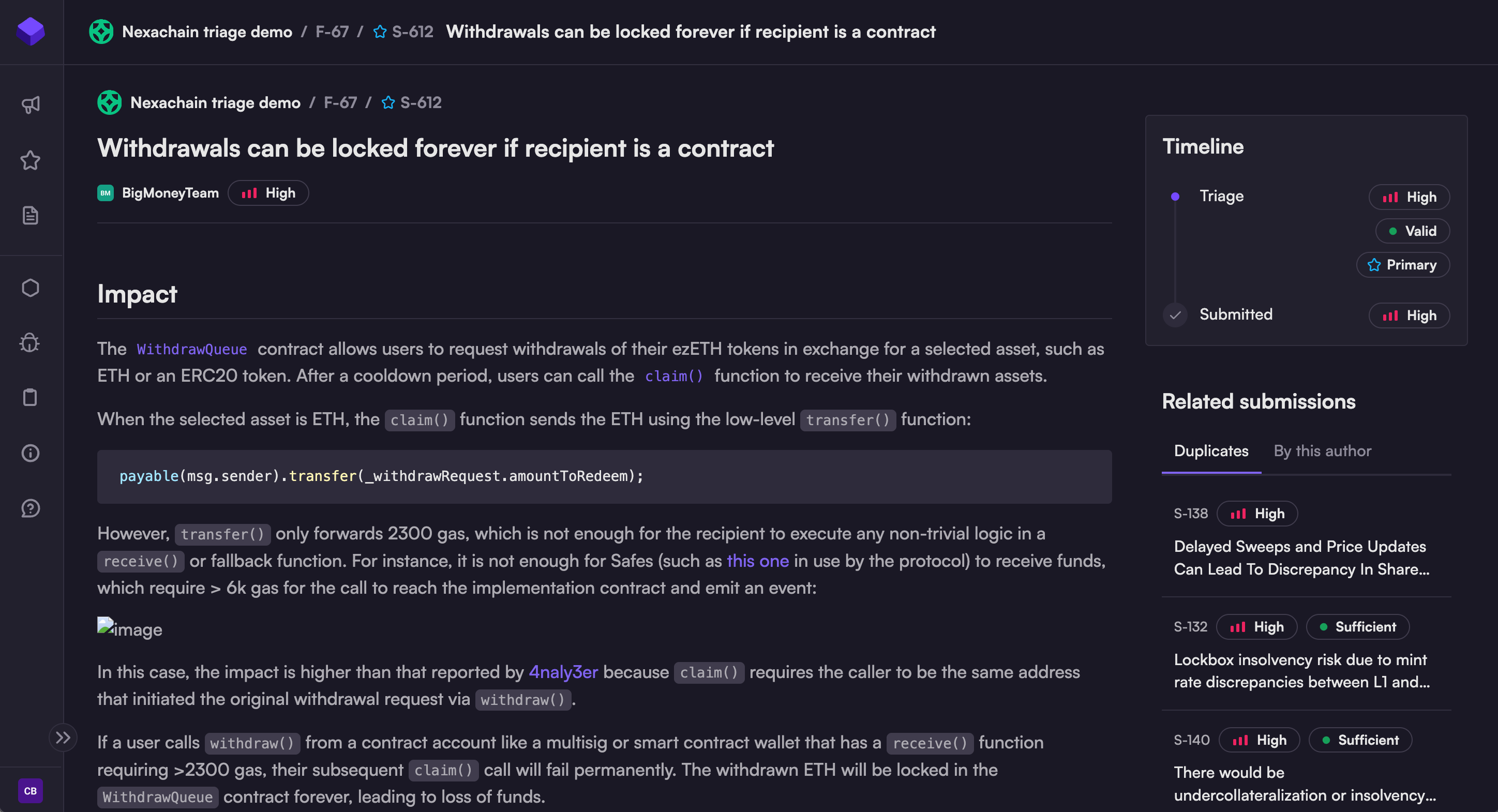
Submission pages

The Submission page is slightly different from the Finding page:

  • Instead of an excerpt, the full-length submission is displayed.

  • Duplicates are listed in a block on the right side of the screen.

  • You may also view a list of submissions by the same author.

The Submission page is fairly similar to the Finding page, with slight differences.
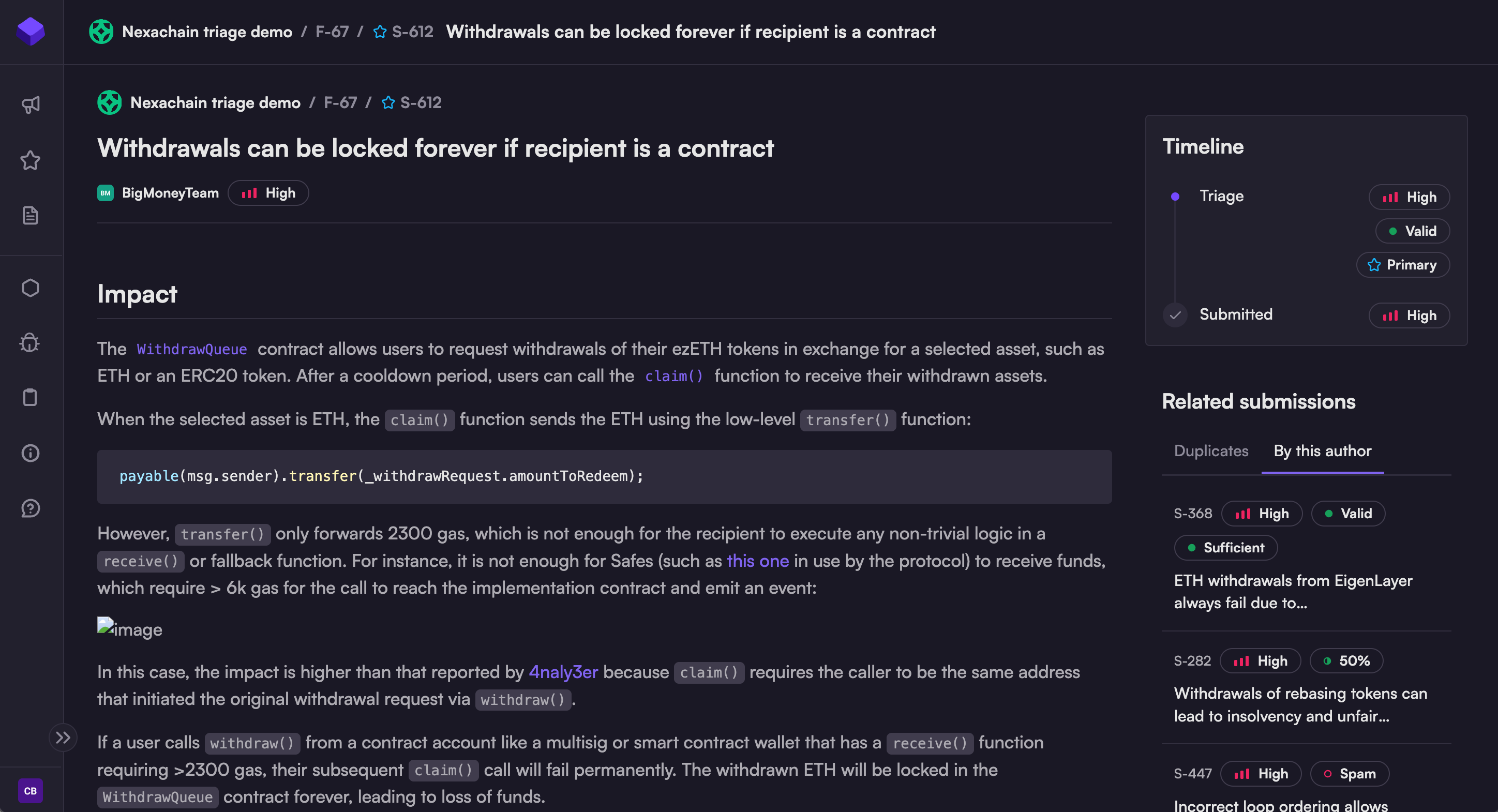
Selecting the "By this author" tab displays a list of submissions by the same author as the submission you're viewing.
Interpreting the Timeline

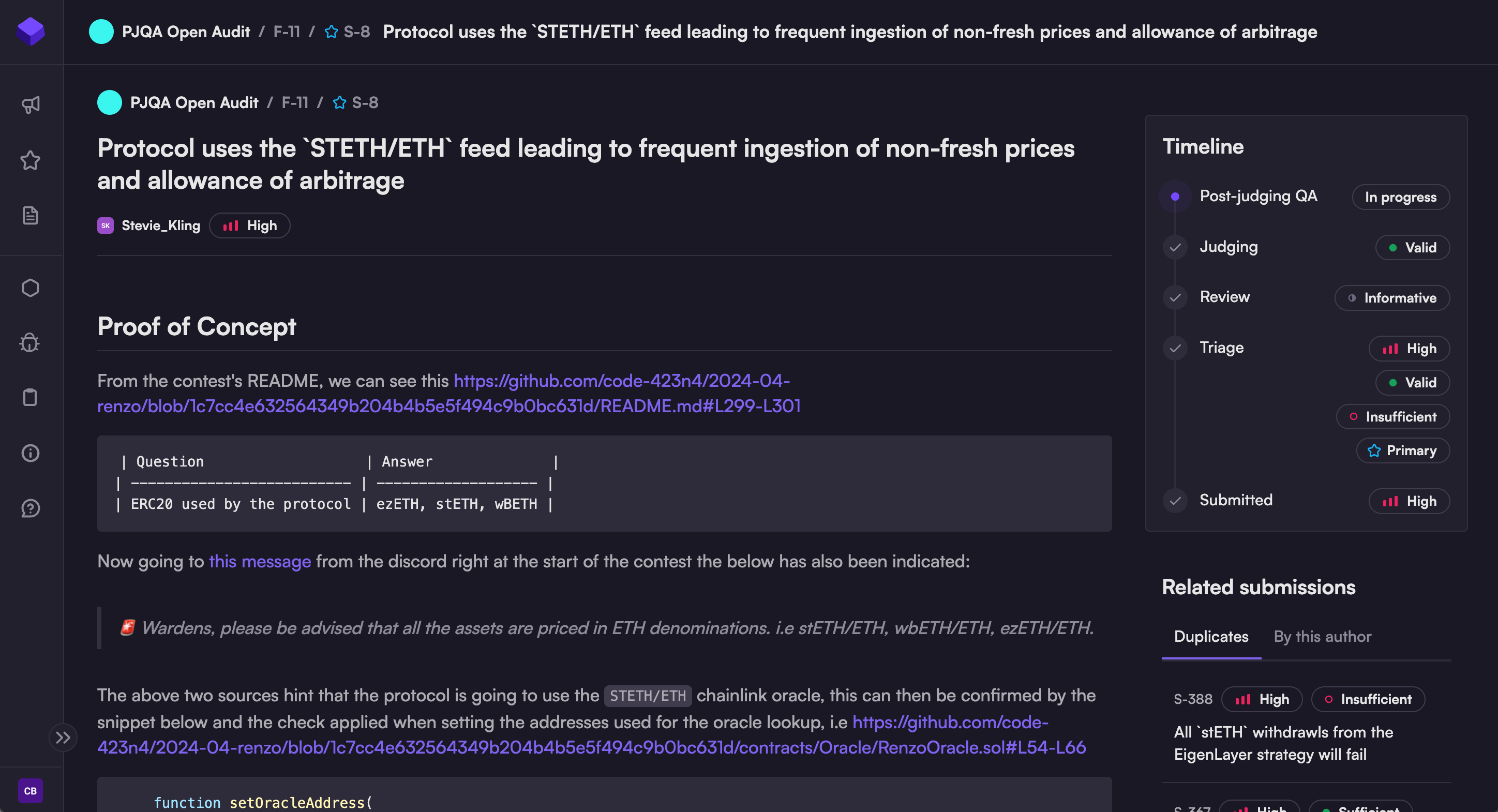
The Timeline block displays a series of inputs and evaluations; it expands as the audit phases unfold.

  • Submitted: severity level selected by the warden (or team) at the time of submission

  • Triage: initial evaluation by the Validator [deprecated]

  • Review: input from the sponsor, if available.

  • Judging: validity, severity, and quality evaluations from the judge (see Judging criteria)

circle-info

Code4rena makes the final determination regarding validity, quality, and severity. All other inputs are advisory.

The Timeline expands as each audit moves through triage and judging. Shown: the Timeline as it appears during Post-judging QA.

Last updated

Was this helpful?