> For the complete documentation index, see [llms.txt](https://docs.code4rena.com/llms.txt). Markdown versions of documentation pages are available by appending `.md` to page URLs; this page is available as [Markdown](https://docs.code4rena.com/platform-guide/platform-guide-for-wardens/sponsor-q-and-a.md).
# Sponsor Q\&A
How to ask questions about a codebase you're auditing
Code4rena's in-app Q\&A feature enables direct communication between wardens and sponsors during active audits, allowing wardens to ask technical questions about the codebase and receive clarifications from the project team.
## Key things to know
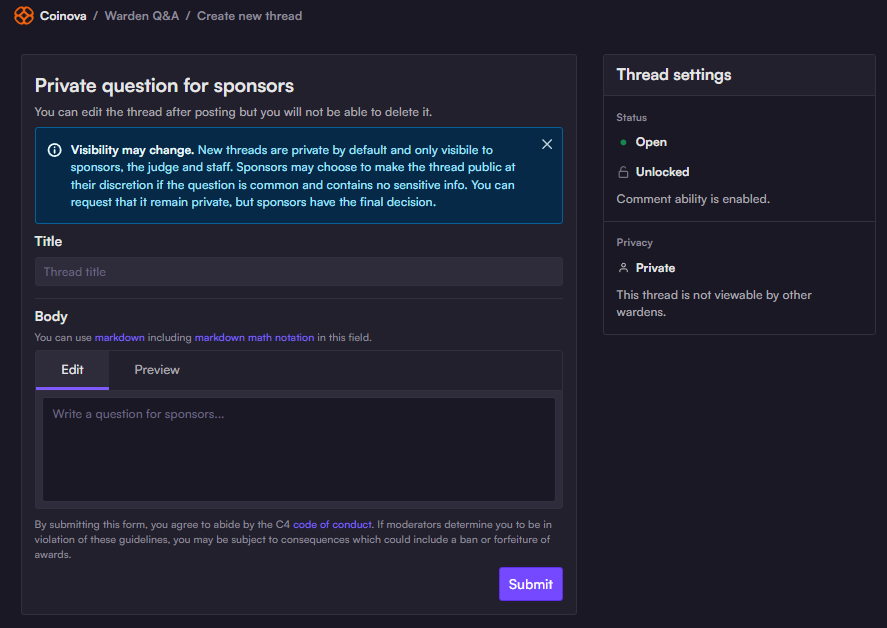
* **New threads are private by default.** You can double-check the privacy settings in the right side column.
* **Sponsors are not required to reply to all threads.** To maximize your odds of receiving a helpful response:
* Ensure that your thread is clear, concise, and not already answered in the audit's provided `README` and documentation.
* Focus on your most important clarification needs.
* Allow sufficient time for a response. Bear in mind that sponsors often receive questions from dozens of wardens — and that they have limited time to allocate to warden Q\&A.
* **Read the docs first:**
* Before using the Q\&A feature, be sure to check the audit repo for project documentation, and search for answers there.
* Most Code4rena audits are supported by our **Docs Wolf documentation bot** :robot:**.**
* The bot will make its best attempt to answer based on the codebase and documentation, and link you to relevant resources.
* Instructions for using Docs Wolf are posted in each audit's dedicated Discord channel.
* **Question limits by role:**
* Wardens who don't have [the SR role](/roles/sr-wardens.md) are limited to **one open thread at a time.**
* You must wait for your current question to be resolved and/or closed before posting another.
* [SR wardens](/roles/sr-wardens.md) may open multiple threads.
* However, it is still recommended to keep your questions focused and concise.
## Accessing the Q\&A Feature
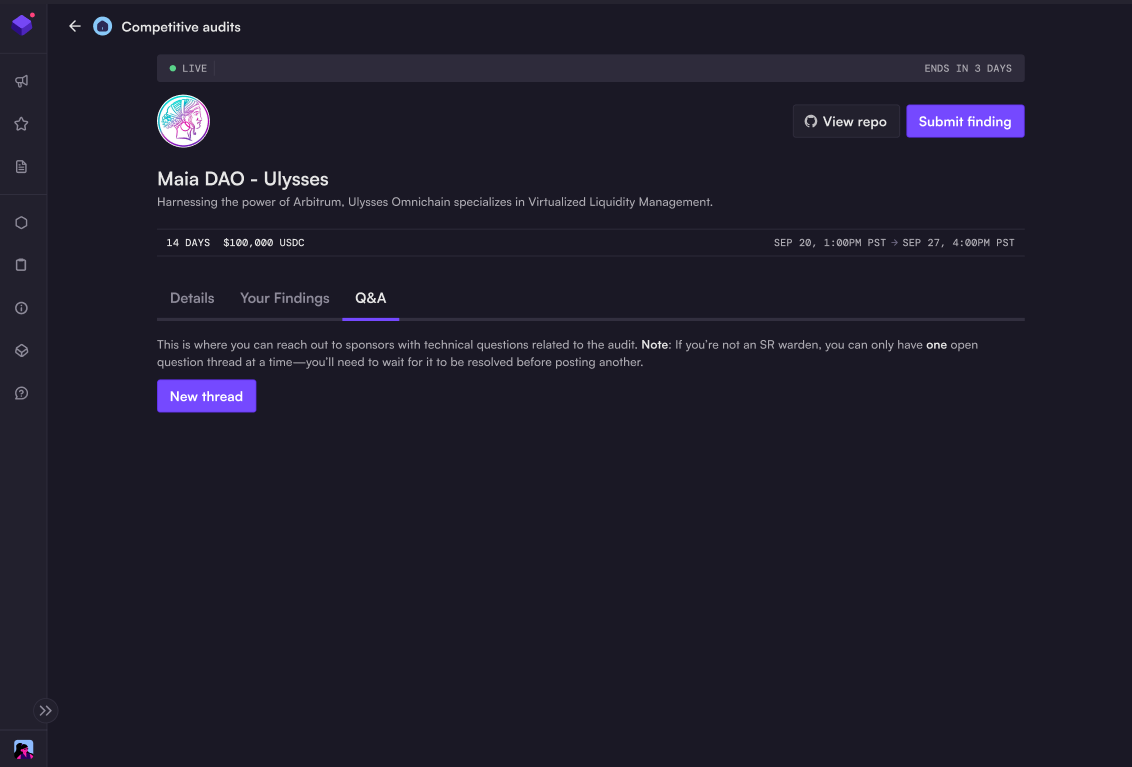
Navigate to any active audit and click the **Q\&A** tab (alongside `Details` and `Your Findings`)
If you have no active threads, you will only see a button to open a new thread.
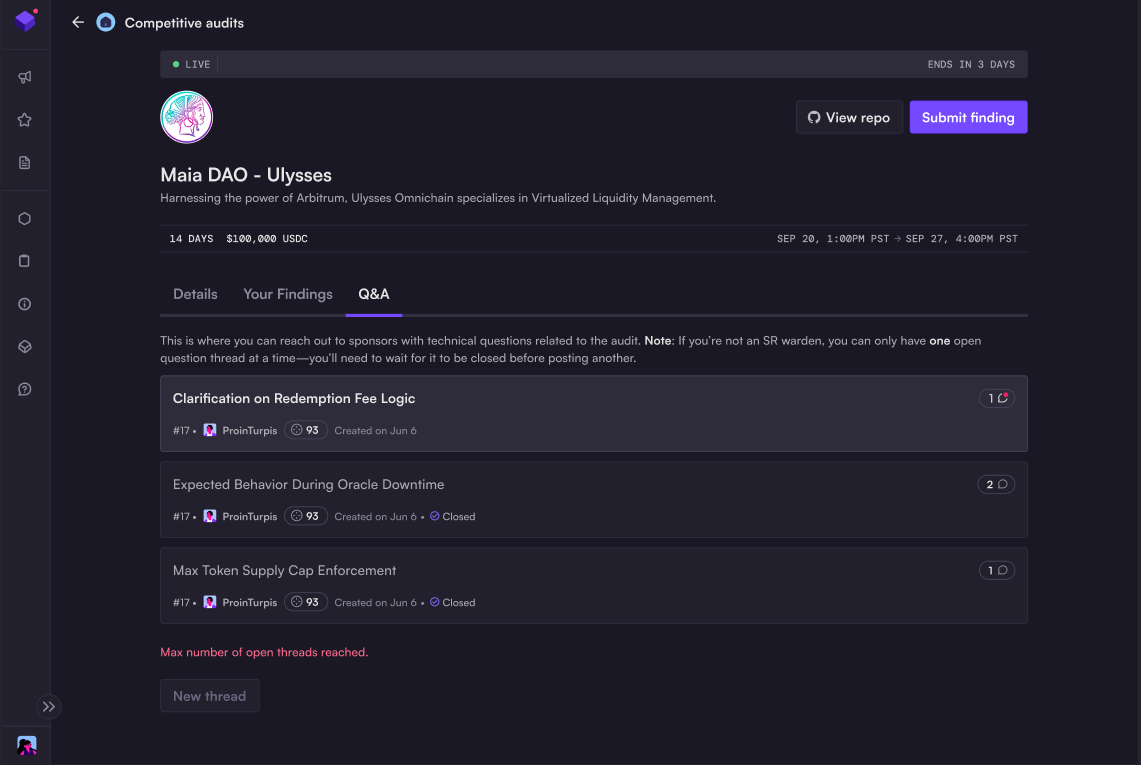
If you have asked a question already, you will see a list of threads (both open and closed).
If you have new replies from the sponsor, you will see a red notification alert.
## Creating New Questions
**Starting a question thread:**
1. Click **"New thread"** button in the Q\&A tab
2. Provide a clear, specific title for your question
3. Include technical details, code references, or specific scenarios
4. Submit your question to the sponsor team
New threads are private by default and only visible to the sponsor team, judge, and Code4rena staff.
**Best practices for questions:**
* **Be specific** - Reference exact functions, contracts, or line numbers when possible
* **Provide context** - Explain what you're trying to understand or verify
* **Stay technical** - Focus on implementation details rather than general questions
* **Check existing threads** - Review current and closed questions to avoid duplicates
---
# Agent Instructions
This documentation is published with GitBook. GitBook is the documentation platform designed so that both humans and AI agents can read, navigate, and reason over technical content effectively. Learn more at gitbook.com.
## Querying This Documentation
If you need additional information that is not directly available in this page, you can query the documentation dynamically by asking a question.
Perform an HTTP GET request on the current page URL with the `ask` query parameter, and the optional `goal` query parameter:
```
GET https://docs.code4rena.com/platform-guide/platform-guide-for-wardens/sponsor-q-and-a.md?ask=&goal=
```
`ask` is the immediate question: it should be specific, self-contained, and written in natural language.
`goal` is optional and describes the broader end goal you are ultimately trying to accomplish on behalf of the user. GitBook uses it to tailor the answer towards what is most useful for that goal.
The response will contain a direct answer to the question and relevant excerpts and sources from the documentation.
Use this mechanism when the answer is not explicitly present in the current page, you need clarification or additional context, or you want to retrieve related documentation sections.